Last month I handed an AI agent a task I genuinely needed done: research three competitors, summarize their pricing pages, and draft a comparison doc I could actually send to a client. I gave it 20 minutes. When I came back, it had hallucinated one company’s pricing entirely, looped on the second, and produced a summary for the third that was almost right but confidently wrong in two critical places.
And yet. That same tool, on a different kind of task, worked beautifully.
That’s the thing about free AI agents in 2026 that nobody wants to say plainly: they’re not bad, they’re just specific. Use them right and they feel like a superpower. Use them outside their lane and you’ll waste more time than you saved. This article is the result of a week of intentionally trying both.
Read Also: ByteDance rolls out Seedance 2.0 globally through CapCut
What I Actually Tested (and How)
I ran five free AI agent tools across five real-world task categories: web research, content drafting, email triage, scheduling and task management, and multi-step file handling. I didn’t just poke around the demos. I threw each one at tasks with actual stakes, timed how long setup took versus what I got out of it, and noted when they broke.
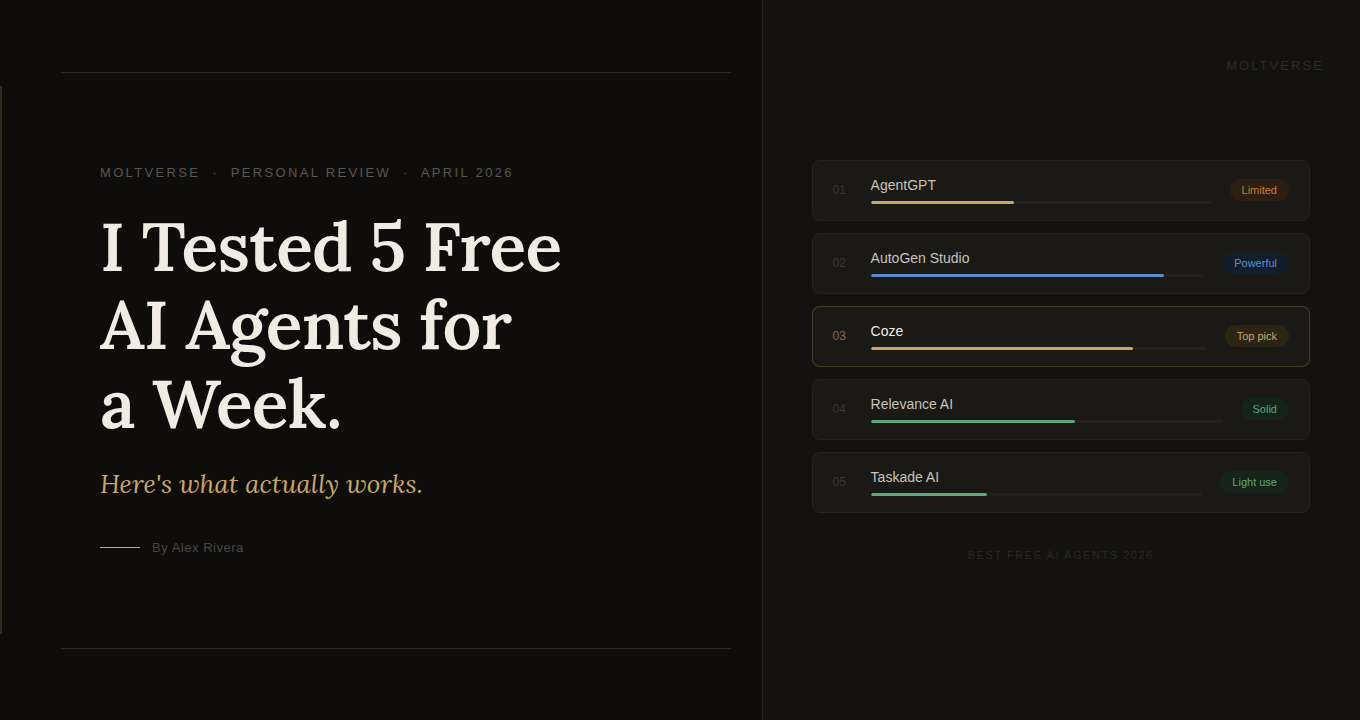
The five tools: AgentGPT, AutoGen Studio, Coze, Relevance AI (free tier), and Taskade AI.
One quick framing note before we get into it: a lot of articles about the best free AI agents 2026 treat these tools like they’re interchangeable. They are not. Some are no-code playgrounds. Some are developer-first frameworks with a thin GUI on top. The gap between those two things matters enormously depending on who you are.
AgentGPT: The Friendliest On-Ramp, With a Ceiling
AgentGPT is genuinely impressive for a first look. You type a goal, it breaks it into sub-tasks, and you watch it work in real-time. That live loop of “thinking, searching, acting” is satisfying in a way that’s hard to explain until you see it. It’s the closest thing to the sci-fi version of AI most people have in their heads.
For simple stuff, it delivered. I asked it to research “top no-code tools for solopreneurs in 2026” and it came back with a structured list in a few minutes, with sources. Not groundbreaking, but correct and usable.
Honestly, though? It started struggling the moment tasks required memory across steps. Ask it to “research X, then draft an email based on that research, formatted for a busy executive,” and it loses the thread between phases. It’s less like hiring a smart assistant and more like having a capable intern who forgets the briefing halfway through.
The free tier also cuts you off quickly. You get a handful of runs before hitting limits, and complex tasks burn through credits fast.
Who it’s not for: Anyone expecting production-ready output for client deliverables or research that needs to be accurate. Great for exploration, weak on depth.
AutoGen Studio: Genuinely Powerful, Genuinely Painful
I’ll be straight with you: I almost didn’t include AutoGen Studio because calling it “beginner-friendly” would be dishonest. But I’m including it because if you have even moderate technical comfort, it rewards the effort in a way the other tools don’t.
AutoGen lets you build multi-agent pipelines where different agents take specific roles. A researcher agent, a critic agent, a writer agent, all passing work between each other. When it works, it’s remarkable. I ran it on a competitive analysis task and got something closer to a first draft I’d actually revise, rather than a summary I’d throw away.
Setup, though. That’s where it earns the “painful” label. Expect to spend 45 minutes to an hour just getting it running locally, connecting your API key, and troubleshooting the Python environment. That’s not a complaint, exactly. It’s an open-source framework built for research teams at Microsoft. It was never designed to hold your hand. But it matters to set that expectation.
What surprised me was how good the agent collaboration model is. Think of it like assembling a small team rather than a single assistant. Instead of one person doing everything, you have a researcher, an editor, and a fact-checker all reviewing each other’s work. That’s the model here, and it’s meaningfully better for complex tasks.
Read Also: Tencent integrates WeChat with OpenClaw AI agent Clawbot amid AI Battle
Coze: The Quiet Overachiever
Here’s the one that genuinely surprised me.
Coze gets almost zero coverage in most “best free AI agents” roundups because it’s newer, it’s from ByteDance (yes, the TikTok parent company, which makes some people nervous), and it doesn’t have the name recognition of the Microsoft or OpenAI ecosystem. That’s a mistake on the part of those articles, and I want to correct it.
What Coze does well: it lets you build agents with plugins, memory, and scheduled tasks in a way that actually makes sense visually. The workflow builder is the closest thing to a proper flowchart tool I’ve seen in a free-tier agent product. I built a simple agent that pulled RSS feeds from three industry newsletters, summarized them by topic, and dropped a digest into a doc every morning. It worked reliably.
The free tier is also unusually generous compared to the others. More runs, more plugins, longer context. I don’t know how long that lasts as the product scales, but right now it’s a notable advantage.
My one real concern, beyond the ByteDance data routing question (which is worth your own due diligence depending on what data you’re feeding it), is that the plugin ecosystem is still thin compared to what Zapier or Make can do. It’ll get there, but you may hit the ceiling faster than you expect if your workflow is complicated.
Relevance AI: Best for Building Internal Tools
Relevance AI occupies a slightly different category than the others. It’s less of an “autonomous agent” and more of a tool for building custom AI-powered workflows, sort of like a smarter, AI-native version of Zapier. That’s genuinely useful. But it’s worth naming, because if you come in expecting an agent that runs on its own, you’ll feel misled.
In my experience, the tool shines when you’re building a repeatable process. I used it to build a “client brief analyzer” that took a PDF brief, extracted key requirements, and formatted them into a structured doc. That kind of single-function, well-defined tool works well here. Open-ended autonomous tasks? Less so.
The free tier is on the tighter side, and the more powerful features clearly nudge you toward paid plans. Nothing wrong with that as a business model, but set expectations accordingly.
Taskade AI: Underrated for Team Collaboration
Taskade is the easiest to recommend to someone who isn’t sure they want a dedicated AI agent tool yet. It’s a project management and notes app first, with AI woven into those flows. If you already use something like Notion or ClickUp, Taskade feels instantly familiar, except there’s an AI that can actually do things inside your projects, not just autocomplete text.
For solo professionals or small teams managing recurring workflows, it’s solid. For power users wanting deep autonomous capability, it’s not the right fit.
Treating all AI agents the same is like assuming every car drives the same just because they all have four wheels.
How They Actually Compare
| Tool | Best for | Free tier quality | Technical bar | Autonomous depth |
|---|---|---|---|---|
| AgentGPT | First-timers, simple research | Limited runs | Zero | Shallow |
| AutoGen Studio | Developers, complex pipelines | Fully open-source | High | Deep |
| Coze | Workflow builders, power users | Best of the bunch | Low-medium | Medium-high |
| Relevance AI | Teams, internal tools | Tight limits | Low | Medium |
| Taskade AI | Individuals, light teams | Decent | Zero | Low |
What Most Articles About Free AI Agents Get Wrong
The common assumption is that “free” AI agents are just watered-down versions of paid tools. That’s not quite right. The real limitation usually isn’t capability, it’s reliability at scale and API run limits. The underlying models and orchestration logic in several of these free tools are actually quite good.
What those articles also miss: setup time is a cost. If a tool takes you three hours to configure and saves you one hour a week, your break-even is three weeks away. Factor that in before picking something with a steep learning curve just because it has more features on paper.
And the thing nobody says clearly enough: most free-tier AI agents are built as top-of-funnel for paid plans. They work just well enough to get you hooked, and the features you actually need for serious work are behind a paywall. That’s not a conspiracy, it’s just product design. Know it going in.
So Which One Should You Actually Use?
If you’re totally new and want to understand what AI agents even do: start with AgentGPT. Spend 30 minutes, try a few tasks, get the mental model. Then move on.
If you’re a professional who wants automation without writing code and you have practical, repeatable workflows: Coze is the one I’d bet on right now. It’s the most capable free tool for that profile. The ByteDance angle is worth your own judgment call, but on pure functionality, it wins this round.
If you’re a developer or technically confident, and you want real power without a monthly bill: AutoGen Studio. It’s not easy, but nothing else at free tier comes close on what it can actually do with multi-agent coordination.
What’s the right question to ask before you pick any of them? Not “which is best” but “what specific task am I solving, and how often?” An AI agent you use once a week for research is a completely different tool selection than one you want running scheduled automations daily.

AI systems strategist with 8+ years building and evaluating intelligent agents. Based in San Francisco, I’ve tested hundreds of tools from OpenAI, Anthropic, Google DeepMind to emerging startups. At Moltverse, I break down complex AI workflows into practical guides so professionals and creators can adopt them faster. Passionate about ethical automation and human-AI collaboration.