
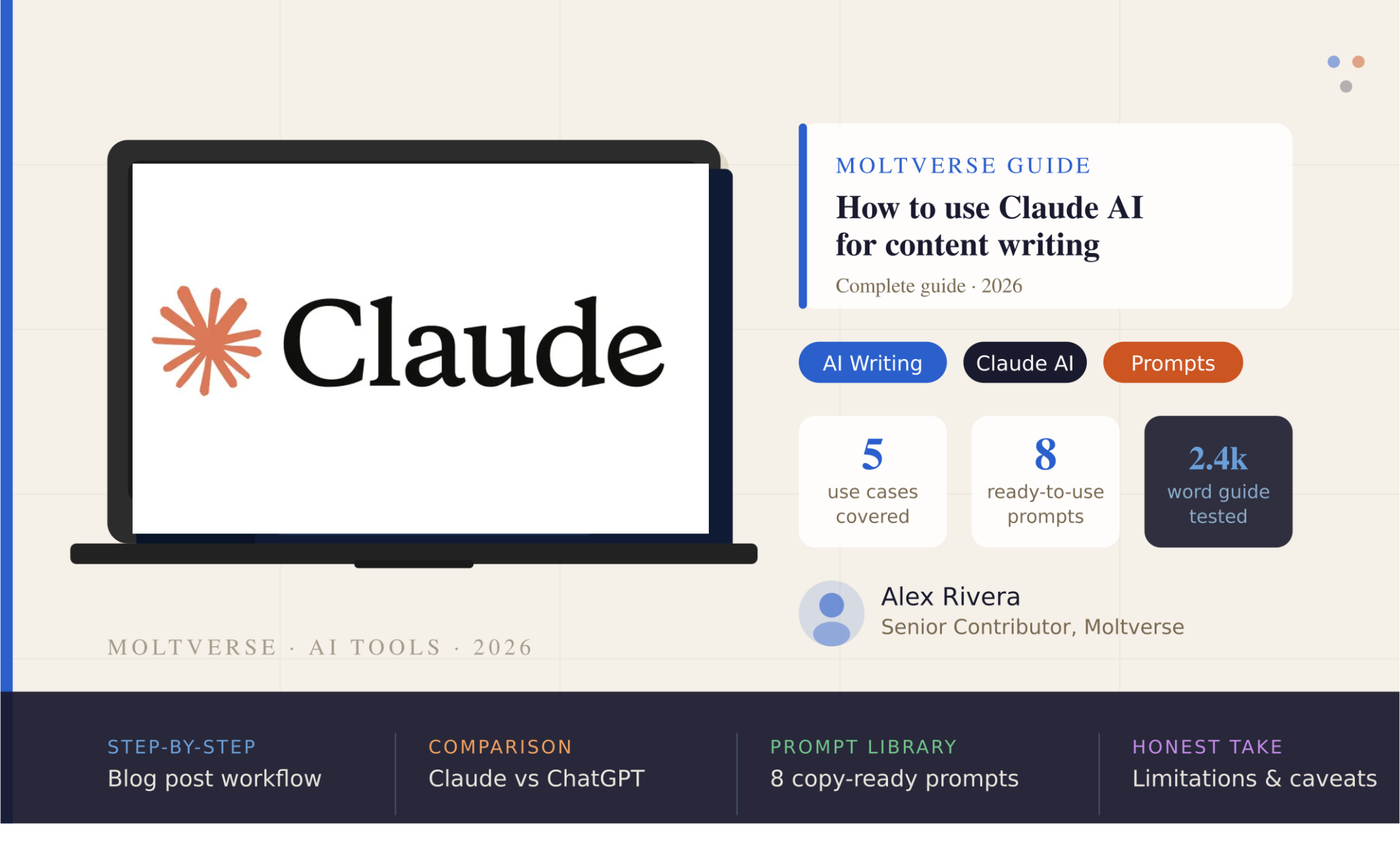
- Claude AI is one of the most capable writing assistants available right now, especially for long-form content
- You can use it to draft blog posts, beat writer’s block, edit your work, build SEO briefs, and repurpose content across platforms
- It’s not perfect, it hallucinates stats and has message limits on the free tier but for most writers, the tradeoff is very much worth it
- This guide gives you real prompts, a step-by-step workflow, and an honest take on where Claude falls short
I used to spend the first two hours of every writing day staring at a blinking cursor, convincing myself I was “gathering thoughts.” It wasn’t until I started using Claude AI for content writing that I realized how much of that was just friction not creativity.
This guide is everything I wish someone had told me when I started. Not a feature list. Not a “Top 10 AI Tools” fluff piece. Just a clear, practical breakdown of how to actually use Claude to write better content, faster without losing your voice in the process.
We’ll cover what Claude is, why it’s particularly suited to writing tasks, the five ways I use it daily, a step-by-step blog post workflow, the prompts I actually copy-paste, and an honest look at where it lets you down.
Let’s get into it.
Table of Contents
What Is Claude AI and Why Is It Good for Content Writing?
Claude is an AI assistant built by Anthropic, a company founded with an unusually strong focus on AI safety. That backstory matters for writers, because it shows up in how Claude behaves, it’s less prone to confidently making things up, and it takes instruction seriously.
Where Claude really shines as a Claude AI writing assistant is in two areas: following complex, nuanced instructions and handling long documents without losing context. Give it a style guide, a brand voice brief, or a 3,000-word draft to edit, and it doesn’t start forgetting things halfway through the way some models do.
Compared to ChatGPT, the differences are subtle but real. ChatGPT has a wider ecosystem, plugins, image generation via DALL-E, broader integrations. But for pure writing tasks, Claude consistently produces cleaner prose and more obedient outputs. Ask it to write in a conversational tone without using passive voice and it actually does it. That might sound like a small thing. It isn’t.
You can try Claude for free at claude.ai . the free tier is genuinely useful for getting started, though heavy users will hit the message limits fairly quickly.
5 Ways to Use Claude AI for Content Writing
1. Blog Post Drafting
This is where most people start, and honestly, it’s where Claude earns its reputation. The key is not to ask Claude to “write a blog post about X” in a single prompt and hope for magic. That produces generic content that reads like, well, an AI wrote it.
Instead, give Claude your title, your intended audience, your tone, and a rough outline. Then ask it to write section by section. The difference in output quality is significant. I’ve gone from posting one piece per week to three, not because the writing is fully automated, but because the blank page problem is gone.
Example prompt: “Write the introduction for a blog post titled ‘How Remote Teams Stay Productive Without Micromanagement.’ My audience is mid-level managers at tech companies. Tone: direct, no jargon, slightly informal.”
2. Beating Writer’s Block
Here’s the thing. Writer’s block is rarely about having nothing to say. It’s usually about having too many directions and no framework. Claude fixes this fast.
Ask it to generate 10 different angles on any topic and pick the one that resonates. Ask it to write the same idea five different ways- serious, humorous, contrarian, case-study-driven, first-person. You’re not using its output wholesale; you’re using it to break the logjam in your own thinking.
Example prompt: “Give me 8 different angles I could take for an article about ‘why most productivity advice doesn’t work.’ Make them as different from each other as possible.”
3. Editing and Rewriting
Paste your draft and tell Claude exactly what’s wrong. “This paragraph is too wordy, tighten it.” “This section sounds academic; make it conversational.” “The transition between paragraphs 3 and 4 is abrupt. Fix it.”
In my experience, Claude is better at editing than drafting from scratch because editing has constraints, and Claude respects constraints well. It won’t randomly introduce new ideas or drift off-topic. It fixes what you asked it to fix and leaves the rest alone.
Example prompt: “Edit this paragraph for clarity and flow. Shorten it by about 30%. Keep my voice informal, direct, no buzzwords: [paste your paragraph]”
4. SEO Content Briefs
Most writers hate doing SEO research. I did too, until I started using Claude to build the brief before I started writing. Give it a keyword and ask for a full content brief: the angle, the subheadings, the questions to answer, and the semantic keywords to include.
It saves me 90 minutes of research and outline work per article. Fair warning though, Claude doesn’t have real-time search access on the free tier, so you’ll need to cross-reference the brief with tools like Ahrefs or Semrush for actual keyword volumes.
Example prompt: “Create an SEO content brief for the keyword ‘best project management tools for freelancers.’ Include: recommended H2 subheadings, 5 LSI keywords, the main search intent, and 3 FAQs real people would search.”
5. Social Media Repurposing
You wrote a 2,000-word article. Most of that thinking can fuel a week’s worth of social content. Claude is brilliant at this, give it your article and ask for 5 LinkedIn posts, 10 tweet-sized takes, or an email newsletter version. Each one takes about 30 seconds.
What surprised me was how good the LinkedIn posts actually were. Not just “here’s a summary”, Claude picks out the most interesting angles and writes in platform-appropriate formats. Give it a good prompt, and it usually nails the tone on the first try.
Example prompt: “Turn this blog post into 5 LinkedIn posts. Each should stand alone, be under 200 words, start with a hook line, and not repeat the same angle. [paste article]”
Step-by-Step: Writing a Blog Post With Claude AI
This is the workflow I actually use. Not theoretical, I’ve done this for dozens of articles across different niches.
Step 1- Generate article angles
Start broad. Ask Claude: “I want to write an article targeting the keyword ‘[your keyword]’. Give me 5 different angles I could take, from informational to contrarian to case-study-driven.” Pick the angle that fits your audience best.
Step 2- Build a detailed outline
Once you have an angle: “Based on the angle ‘[chosen angle]’, create a detailed outline for a 2,000-word article. Include H2 and H3 subheadings and a 1-sentence description of what each section should cover.”
Review this outline before moving forward. Add, remove, or rearrange. This is still your article, Claude is just scaffolding it.
Step 3- Write section by section
Do not ask Claude to write the whole thing at once. Use the outline and say: “Write the section ‘[H2 title]’ from the outline above. Keep the tone [describe your tone]. About 300 words.”
Section by section gives you tighter control and better quality output.
Step 4- Edit with your voice
Once you have a draft, read it out loud. Where it sounds stiff or generic, rewrite it yourself or ask Claude to rewrite in a more specific direction. Your job is to make it sound like you wrote it. Claude is the structural workhorse.
Step 5- Final polish pass
Paste the whole article and ask: “Read this article and flag: any repetitive phrases, any sentences that are too long, any section that feels padded. Don’t rewrite just flag with a note explaining why.” Then address each flag yourself.
Best Claude AI Prompts for Content Writers
Copy these directly. Adjust the specifics to your topic and tone.
Blog outline generator
Create a detailed blog outline for an article titled "[your title]."
Target audience: [describe audience].
Tone: [describe tone].
Include H2 and H3 subheadings, plus a one-sentence note for each section
about what it should cover. Aim for a 2,000-word article structure.
Edit for clarity
Edit the following text. Goals: reduce word count by 20–25%,
eliminate passive voice, tighten sentence structure.
Do not change the meaning or examples. Keep the tone [describe tone].
Rewrite in a specific tone
Rewrite the following paragraph in a [casual/formal/humorous/authoritative] tone.
Keep all key information intact.
Make it appropriate for [audience type].
Create meta descriptions
Write 3 different meta descriptions for an article titled "[title]."
Each must be under 155 characters, include the keyword "[keyword],"
and make the reader curious enough to click.
Do not start any of them with "In this article..."
Turn blog into a LinkedIn post
Convert this blog post into a LinkedIn post.
Max 200 words. Start with a punchy first line that stops the scroll.
No hashtag spam — max 3 relevant hashtags at the end.
Keep the tone direct and professional.
Beat writer’s block
Give me 8 different angles for an article about "[topic]."
Each angle should have a different slant:
informational, contrarian, case study, beginner guide,
expert roundup, personal experience, myth-busting, and trend-based.
One sentence per angle.
Brand voice matching
Here is a sample of my writing: [paste 2–3 paragraphs].
Now write a new section about [topic] in the same voice,
matching my sentence length patterns, vocabulary level,
and use of personal anecdotes. Do not sound more formal or polished than my sample.
SEO content brief builder
Create a full SEO content brief for the keyword: "[keyword]."
Include: primary intent, recommended H2 subheadings (6–8),
10 LSI/semantic keywords to include, 4 FAQs,
and a note on what competing articles probably miss about this topic.
Want 50 more prompts like these? Download the free Moltverse AI Prompt Pack, built specifically for content writers and updated monthly.
Claude AI vs ChatGPT for Content Writing: Which Is Better?
Honestly, this question doesn’t have a clean answer and anyone who gives you one is probably selling something.
Here’s what I’ve found after using both regularly: Claude is better for pure writing tasks. It follows style instructions more precisely, produces cleaner prose, and handles long documents without losing track of earlier context. If your primary use case is drafting, editing, rewriting, and repurposing written content, Claude wins.
ChatGPT has a wider feature set, including image generation through DALL-E, more third-party integrations, and a larger plugin ecosystem. For multi-modal tasks or building AI-powered workflows, it has a broader toolkit.
| Task | Claude | ChatGPT |
|---|---|---|
| Long-form blog drafting | Better | Good |
| Following style guides | Excellent | Good |
| Context retention (long docs) | Excellent | Varies |
| Image generation | No | Yes (DALL-E) |
| Plugin/integration ecosystem | Limited | Wide |
| Social media repurposing | Excellent | Good |
My take: if you’re a writer, start with Claude. If you’re a marketer who needs image generation and automation integrations built in, ChatGPT or a combination of both is smarter.
Limitations of Claude AI for Content Writing
This is the section most articles skip. They shouldn’t.
No Real-time Internet Access On The Free Tier
Claude’s knowledge has a cutoff, and on the free version, it can’t browse the web to check current facts, trends, or stats. Claude Pro includes web search. If you’re writing heavily data-driven content, verify every statistic independently.
It Hallucinates
Not as often as some models, and usually not on general topics — but ask Claude for specific statistics, named studies, or niche industry data and it can confidently produce numbers that sound real but aren’t. Always fact-check data before you publish.
Message Limits On The Free Tier
If you’re using Claude to write multiple articles per day, you’ll hit the ceiling. Claude Pro ($20/month) removes those limits and adds faster response times and priority access during peak hours.
It Doesn’t Replace Your Expertise
This is the one I feel most strongly about: Claude is a drafting aid, not a subject matter expert. The best content I’ve produced with Claude still required me to bring the ideas, the angle, the examples, and the judgment. Think of it like hiring a very skilled editor who writes fast but knows nothing about your industry.
Who this is NOT for: writers looking for a “set it and forget it” content machine. If you want to publish AI-generated content without human editing and expertise layered on top, the output will show — and your readers will notice.
Using Claude AI for content writing isn’t about replacing the creative work. It’s about removing the friction around it, the blank page, the structural planning, the first draft that gets thrown out anyway.
The writers I know who use Claude well treat it like a very capable first-draft partner: they bring the ideas, the expertise, and the voice; Claude brings speed and structural discipline. That’s a good division of labor.
Three things worth taking away: give Claude specific, constrained prompts and it performs dramatically better; always edit AI output with your own voice before publishing; and be honest about its limits, especially around factual accuracy.
Try Claude free at claude.ai and test it on your next piece. And if you want weekly breakdowns of AI tools and workflows for writers and creators, subscribe to the Moltverse AI Digest.
Frequently Asked Questions
Is Claude AI free to use for content writing?
Yes, Claude has a free tier at claude.ai that gives you access to the core model without a subscription. The free version has message limits, which most casual users won’t hit immediately, but professional writers producing high volumes of content will likely need Claude Pro ($20/month) for unlimited use and access to additional features including web search.
Can Claude AI write a full blog post?
Yes, and it does it well, but the quality depends heavily on the prompt. A vague prompt like “write a blog post about email marketing” will get you a generic result. A detailed prompt with your angle, audience, tone, word count, and outline will get you something genuinely usable. Try: “Write a 1,800-word blog post for marketing managers titled ‘[your title].’ Tone: direct and practical. Include these H2 sections: [list them].”
Is Claude better than ChatGPT for writing?
For writing-specific tasks, drafting, editing, rewriting, style matching, Claude generally produces better results. It follows detailed instructions more precisely and handles long documents without losing context. ChatGPT has a wider tool ecosystem (plugins, image generation), making it more versatile for multi-modal tasks. If writing is your primary use case, Claude is the stronger choice.
How do I make Claude write in my brand voice?
Paste 2–3 paragraphs of your existing writing into the prompt and say: “Match the voice, tone, and sentence rhythm of the sample above when writing the following section.” Claude is surprisingly good at mimicking a writing style when given a real example to work from. The more specific your sample, the better the output.
Does Claude AI produce plagiarism-free content?
Claude generates original text, it’s not pulling or copying from a database of existing articles. However, “plagiarism-free” and “original” aren’t quite the same thing. Because many AI models are trained on similar data, outputs can sometimes share structural patterns or phrasing with content elsewhere on the web. Running AI-generated content through a plagiarism checker before publishing is good practice, particularly for content where originality is critical.

AI systems strategist with 8+ years building and evaluating intelligent agents. Based in San Francisco, I’ve tested hundreds of tools from OpenAI, Anthropic, Google DeepMind to emerging startups. At Moltverse, I break down complex AI workflows into practical guides so professionals and creators can adopt them faster. Passionate about ethical automation and human-AI collaboration.